Streamline Your Pinterest Strategy with Canva Pin Templates
Consistently creating high-quality visual content for Pinterest can feel like a significant time investment. For bloggers, entrepreneurs, and small business owners, the pressure to design fresh, engaging pins that capture attention in a crowded feed is a common challenge. This is where having a reliable system becomes invaluable. A well-curated collection of Pinterest Pin Templates for Canva serves as that foundational system, transforming the design process from a recurring creative block into a streamlined, efficient workflow.
What Are Pinterest Pin Templates for Canva?
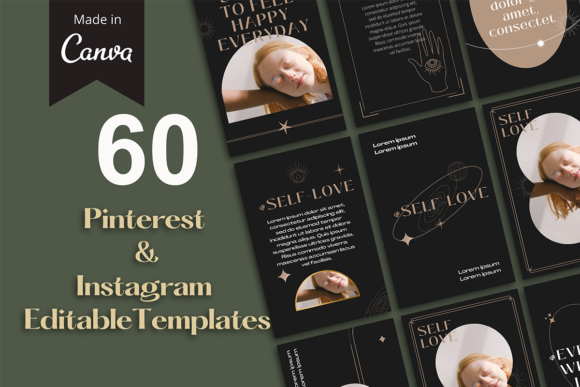
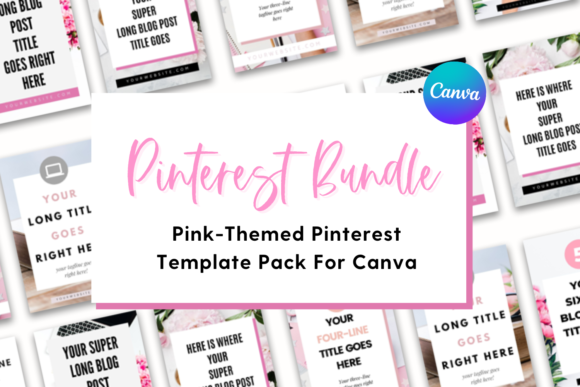
Simply put, these are pre-designed, customizable graphic layouts built specifically for the Pinterest platform. Created within Canva—a user-friendly, web-based design tool—these templates provide a professional starting point. A resource like The Template Lounge offers bundles, such as a set of 40 templates featuring a cohesive pink, white, and gray theme, designed to give your content a polished and consistent aesthetic. Each template is correctly sized at the optimal 1000x1500 pixels, ensuring your graphics display perfectly without awkward cropping or blurriness on the Pinterest platform.
The true power lies in their flexibility. These are not rigid, one-size-fits-all files. They are designed to be fully customizable, allowing you to swap out colors, fonts, images, and graphics to align perfectly with your existing brand identity. For a non-designer, this removes the daunting task of starting from a blank canvas. For a seasoned creator, it accelerates the production of on-brand content, freeing up mental energy for strategy and engagement rather than layout decisions.
Reclaim Valuable Time and Mental Energy
One of the most immediate advantages is the significant time savings. Instead of spending thirty minutes to an hour conceptualizing and designing a single pin from scratch, you can select a pre-structured template, plug in your blog post title and a relevant image, and have a professional graphic ready in minutes. This efficiency is crucial for maintaining a consistent pinning schedule, which is a key factor in growing your Pinterest reach and driving traffic. The mental load of "what should this pin look like?" is replaced by a simple, actionable process.
Achieve Professional Consistency Without the Learning Curve
A cohesive visual brand builds trust and recognition. When your pins share a common color palette, typography, and layout style, your content becomes instantly recognizable as users scroll through their feeds. This consistency is often difficult to achieve when designing each pin individually. Pinterest Pin Templates for Canva provide that built-in harmony. The bundle from The Template Lounge, for instance, uses a specific color theme, but you can easily adjust it to your own brand colors. This ensures that even with a large library of 40+ designs, your overall Pinterest profile looks intentional and professional, strengthening your brand's visual communication.
Spark Creativity and Overcome Design Blocks
Starting with a template is not about stifling creativity; it's about channeling it. The template acts as a creative springboard. You might see a layout designed for a quote and realize it could be perfectly adapted for a key statistic from your latest article. The structure gives you a framework to work within, which can often be more inspiring than a completely empty page. You are freed to focus on the most important element: your message. The design supports the content, rather than the other way around.
Who Stands to Gain the Most?
While almost anyone creating content for Pinterest can benefit, certain groups will find this resource particularly transformative:
- Bloggers and Content Creators: For those who need to promote multiple blog posts or products regularly, templates allow for rapid, batch creation of promotional graphics, ensuring a steady stream of fresh content.
- Small Business Owners and Entrepreneurs: Often wearing many hats, these individuals benefit from tools that simplify marketing tasks. Templates provide a way to maintain a professional social media presence without outsourcing or dedicating excessive time.
- Freelancers and Marketers: When managing Pinterest accounts for clients, having a library of customizable templates drastically improves efficiency, allowing you to deliver consistent results faster.
- Educators and Publishers: Sharing infographics, tips, or book promotions becomes visually consistent and less time-consuming, helping to build an audience around valuable informational content.
Making the Most of Your Template Bundle
To leverage a collection of Pinterest Pin Templates for Canva effectively, consider these practical tips:
- Brand Customization First: Before you start creating individual pins, take one template and fully customize it with your brand's exact colors, fonts, and logo placement. Save this as your "master" version. This makes all subsequent edits faster.
- Organize by Purpose: Group templates by their intended use—blog post promotion, product features, inspirational quotes, listicles, etc. This way, when you need to create a pin for a specific type of content, you can quickly find a suitable layout.
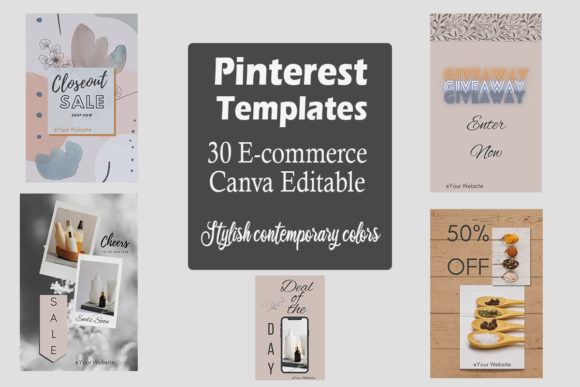
- Mix, Match, and Adapt: Don't feel confined to a template's original purpose. A "checklist" layout could be used for a "step-by-step" guide. A template with multiple image boxes could feature different angles of a product. The ability to delete unwanted pages or duplicate favorites allows you to build a personalized library that truly fits your needs.
- Maintain Image Quality: Always use high-resolution, relevant images. The template handles the layout, but the quality of your photography or stock images is what will ultimately stop the scroll and earn the click-through.
A Note on Limitations and Fit
While templates are incredibly powerful, it's worth noting their role. They are a tool for efficiency and consistency, not a replacement for a core content strategy. Your pin's success still hinges on compelling copy, strong keywords, and valuable content that resonates with your target audience. Additionally, while a themed bundle offers great cohesion, if your brand identity is vastly different from the provided theme (e.g., a dark, moody aesthetic versus a soft pink palette), the initial customization will require more effort. Always review a template bundle's style to ensure it aligns with the direction of your brand or offers the flexibility you need.
Ultimately, integrating a set of Pinterest Pin Templates for Canva into your workflow is about working smarter. It's about removing repetitive design hurdles so you can focus on what you do best: creating great content, building your community, and growing your business. By providing a structured yet flexible foundation, these templates empower you to maintain a vibrant, professional, and effective Pinterest presence with far less effort and far more consistency.