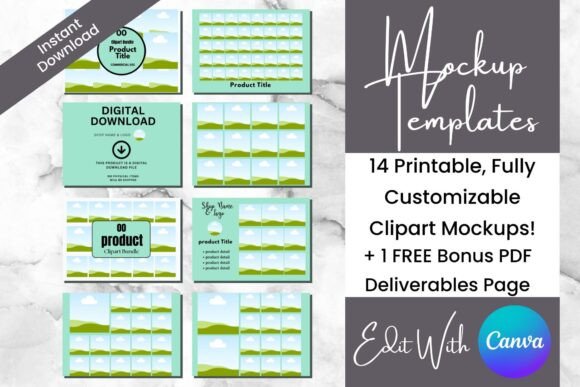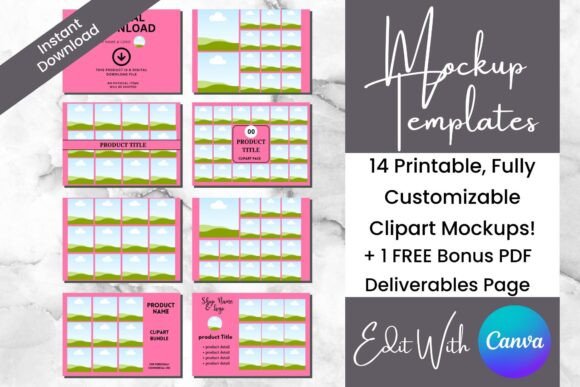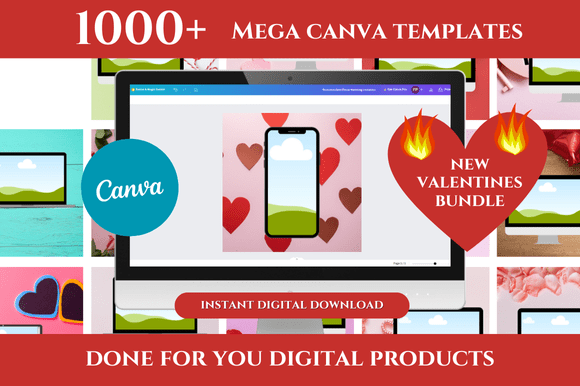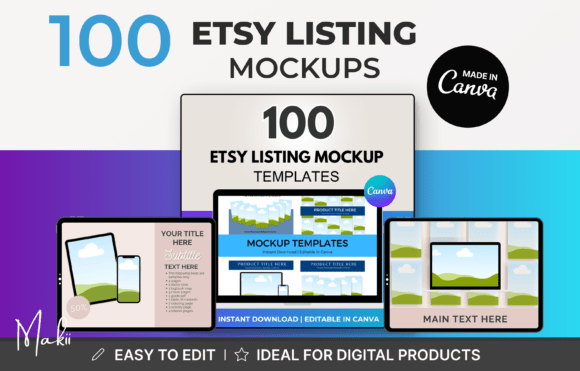
Stop the Scroll: Transform Your Digital Shop with 100 Etsy Listing Mockup Templates
Let’s be real for a second: selling on Etsy is a dream, but the competition is fierce. You have poured your heart into creating a beautiful digital planner, a set of social media templates, or perhaps a stunning piece of printable wall art. You hit "publish," and then... crickets. Or, you get that dreaded message: "I thought this was a physical item." This is the exact moment where most digital sellers realize that visuals are everything. If your product doesn't look tangible and professional in the photos, buyers will scroll right past. That is why having access to a versatile library of assets, like these 100 Etsy Listing Mockup Templates, isn't just a luxury—it is a survival strategy for your business.
The "Blank Canvas" Paralysis
One of the biggest hurdles for creative entrepreneurs isn't a lack of ideas; it’s the time it takes to execute them. You know you need to create flat lays, lifestyle shots, and detail zooms for every listing. But opening Photoshop or even a basic design tool can lead to hours of fiddling with layers and alignments. This is where the concept of "done-for-you" design becomes a game-changer. Instead of building the frame of the house every time you want to hang a picture, you are simply walking into a fully built structure. By utilizing pre-made layouts, you bypass the technical friction and get straight to the creative part—showcasing your actual product.
Who Needs This Kind of Asset?
You might think mockup templates are only for graphic designers, but the use cases are surprisingly broad. Consider the variety of sellers thriving on Etsy right now:
- The Digital Planner Creator: You need to show what your planner looks like on an iPad, but you don't own an iPad to photograph. A digital mockup solves this instantly.
- The Resume Writer: You sell professional CV templates. You need to show that resume looking crisp and clean, perhaps on a desk next to a coffee cup to evoke a sense of professional calm.
- The Social Media Manager: You are selling a bundle of Instagram story templates. You need a way to show them in action on a phone screen, not just as flat rectangles.
In each of these scenarios, the seller isn't a photographer. They are subject matter experts who need their digital files to look like physical goods. This collection of 100 Etsy Listing Mockup Templates bridges that gap between a digital file and a tangible experience.
Real-World Scenarios: Solving the "Physical" Problem
The primary challenge for digital product sellers is tangibility. A customer cannot hold a PDF in their hand. Therefore, your job is to create a visual illusion. Let’s look at how different professionals might apply these templates to solve specific business problems.
The Wedding Stationer
Imagine you sell wedding invitation suites. In the past, you might have needed to print them out, hire a photographer, and buy expensive ribbons and wax seals for a photoshoot. With a diverse library of mockups, you can simply upload your design to a template that already features those props. You can instantly show your "Sage Green Floral" suite on a marble background or your "Modern Minimalist" suite on a dark wood table. This allows you to test new colorways and styles in minutes rather than days, helping you react to trends like "Coastal Grandmother" or "Disco Cowgirl" weddings instantly.
The Ebook Author
If you are an author selling a guide on "How to Start a Podcast," a simple cover image isn't enough. You need to sell the value of the information. Using mockup templates, you can place your ebook cover on a tablet screen held by a model, or stacked as a 3D book next to a microphone. This contextualizes the product. It tells the buyer, "This is the tool you need to start your journey." It moves the product from a theoretical idea to a visual reality.
The Power of PLR (Private Label Rights)
Here is where this specific offer changes the game for a different audience: PLR Store Owners. Usually, when you buy templates, you are the end-user. However, this package comes with Private Label Rights. This opens up a secondary business model entirely.
If you are a business coach or a digital marketing educator, you likely have students who struggle with design. You can take these 100 Etsy Listing Mockup Templates, rebrand them with your logo and color palette, and resell them to your audience as your own product. You keep 100% of the profit. It is an instant product creation shortcut. You don't have to be a designer to sell design assets; you just need to curate a high-quality bundle and market it to your niche.
Why Canva is the Great Equalizer
It is worth noting the delivery method here: Canva. For years, high-end mockups required Adobe Photoshop, which has a steep learning curve and a monthly subscription fee. Canva has democratized design. By offering these templates in Canva, the barrier to entry is removed.
Whether you are a Gen Z TikTok creator or a Gen X side-hustler, the interface is the same. You simply drag and drop. This accessibility means you can focus on conversion rate optimization rather than software tutorials. You can quickly A/B test different listing photos—maybe one with a beige background and one with a bright pop of color—to see which one gets more clicks. The ease of use encourages experimentation, which is the key to growing an Etsy shop.
Practical Considerations Before You Dive In
While the promise of "100 templates" sounds incredible, it is important to approach this with a strategy. Here are a few things to keep in mind to ensure you get the most out of this resource:
- Brand Consistency: Just because you have 100 options doesn't mean you should use all of them randomly. Pick a "look" for your shop. If your brand is "Boho Chic," stick to the mockups with natural textures and earth tones. If your brand is "Corporate Clean," use the templates with white space and sharp lines.
- Mobile Optimization: Most Etsy shoppers are on their phones. When you customize these templates, zoom out and look at the thumbnail size. Does the text on your digital product show up clearly? Is the contrast high enough? A beautiful mockup that looks blurry on a phone screen won't convert.
- Authenticity: While mockups are great, try to mix them with a few "real" photos if possible. Even a simple photo of you working on your laptop adds a human touch that builds trust. Use the mockups for the polished, professional shots, but don't be afraid to show the human behind the brand.
Beyond Etsy: Multi-Platform Utility
While the product is titled for Etsy, the utility extends far beyond. If you are running a Gumroad store, selling courses on Teachable, or marketing on Instagram, you need visuals.
Think about your Instagram feed. It needs to look cohesive. These templates can be used to create a grid pattern where every third post is a product mockup. This creates a visually pleasing rhythm for anyone visiting your profile. Furthermore, if you are running Facebook Ads, high-quality imagery is non-negotiable. Using these templates allows you to create ad creatives that look professional and stop the scroll, potentially lowering your cost-per-click.
The Time-Saving Equation
Ultimately, the value proposition of a bundle like this comes down to time. If you spend two hours designing a single listing photo from scratch, and you have 20 products, that is 40 hours of work. That is an entire work week lost to design.
By leveraging 100 Etsy Listing Mockup Templates, you can cut that production time down to a fraction. You are not just buying templates; you are buying back your weekends. You are buying the freedom to focus on product development, customer service, and scaling your business. Whether you use them to showcase your own art or rebrand them to build a passive income stream, the flexibility of this toolkit makes it a foundational asset for any serious digital entrepreneur.